

Most articles on Amazon price tracking tools stop at a list of names and screenshots. What they skip is the part that actually determines whether a tool is useful: how it collects data, how often it checks, what it captures, and where it fails. The answer to "which tool is best" depends entirely on those mechanics, and whether you're trying to catch a deal or win a Buy Box.
Why the tracking method changes everything
An Amazon price tracking tool, for this article's purposes, is any software that records price history over time and can send an alert when a threshold is crossed. That definition covers browser extensions like Keepa and dedicated trackers like CamelCamelCamel, as well as seller-focused repricing platforms.
The method used to collect that data affects three things directly. First, it determines how accurate the historical chart is. A tool that checks infrequently will show a smooth line that misses short-lived spikes. Second, it controls alert speed for time-sensitive events like Lightning Deals, which can expire in under an hour. Third, it shapes what "price" even means: the Amazon-sold offer, a third-party new condition offer, a used listing, or total landed cost including shipping. Tools vary significantly in which of those they track.
Shoppers care mostly about deal discovery and notification timing. Sellers care about something different: margin protection, offer-level competitive data, and whether a tool understands the Featured Offer (Buy Box) well enough to inform a repricing decision.
How price trackers collect data: scraping vs API
There are two broad collection architectures, and the distinction matters for reliability.
The first is automated page retrieval, often called web scraping or HTML parsing. The tool programmatically requests a product page or structured data source, parses the response, extracts price and other fields, and stores a timestamped record. CamelCamelCamel describes its system as checking retailers on different schedules: "Some retailers are checked every few hours," with cadence varying by retailer and product type. A system-design analysis of a CamelCamelCamel-equivalent service estimates that a typical 6-hour update interval would generate approximately 72 million price records daily, scaling to roughly 26 billion records annually, which illustrates the storage and throughput requirements at catalog scale.
The second architecture is structured data retrieval through authorized feeds or APIs. Where a provider has partner-level access to structured product data, the tool receives price and availability updates via a defined endpoint rather than parsing HTML. This reduces parsing fragility and can support faster or more reliable updates, though it still depends on how frequently Amazon pushes changes through that channel.
The pipeline in either case follows the same logical sequence:
- Monitor a target ASIN on a fixed or variable schedule
- Retrieve current price and associated offer data
- Normalize the result into a time series (price at timestamp)
- Evaluate against user-defined rules (e.g., price drops below threshold)
- Push notification via email, push, or in-app alert
What each model tends to miss: scraping-based tools often fail to capture coupon amounts, limited-time conditional discounts, or Lightning Deal prices because those values are rendered dynamically or gated behind session state. API-based tools may miss third-party offer granularity if the feed only surfaces the Buy Box winner's price.
Polling cadence and alert latency
Polling cadence is the frequency at which a tool re-checks a product's current price. Some tools use fixed intervals regardless of the product. Others increase check frequency for products with active price watches or for high-traffic ASINs.
Keepa tracks over 7 billion Amazon products (per its product page) and provides price history charts and price drop alerts. ProfitPath's 2026 Keepa setup guide describes Keepa as offering hourly updates on price history and sales rank, though exact cadence can vary by product tier. Consumer-grade free extensions typically check less frequently than premium data products.
This creates a real latency problem for time-sensitive offers. A Lightning Deal might activate, reach its claim limit, and expire within 45 minutes. A tool with a 4-hour polling interval will never see it. Even a tool with hourly cadence might miss it if the check falls between the deal's start and end times.
Alert speed also depends on delivery method. After a threshold is crossed, the notification still travels through a queue, email provider, or push system. That adds seconds to minutes of delay on top of the polling gap. Setting a price watch, then observing the first alert time vs. the actual price change, is the most reliable way to calibrate your expectations for any specific tool.
What data points tools actually track
The fields a tool captures determine its analytical value beyond raw price alerts.
For shoppers, the relevant fields are usually: Amazon's offer price, third-party new and used prices, the historical high and low, and an offer count (how many sellers are listed). CamelCamelCamel and Keepa both surface price history charts that include these dimensions visually, letting users judge whether a current price is genuinely low or just average.
For sellers, the dataset needs to go further. Amazon BSR (Best Sellers Rank) is a dynamic metric indicating relative sales velocity within a category; a lower rank number means higher sales, with rank #1 being the category's top seller (per third-party BSR guides including one from Nova Analytics). BSR trends alongside price help sellers distinguish between a price drop that's driving volume and one that's just eroding margin.
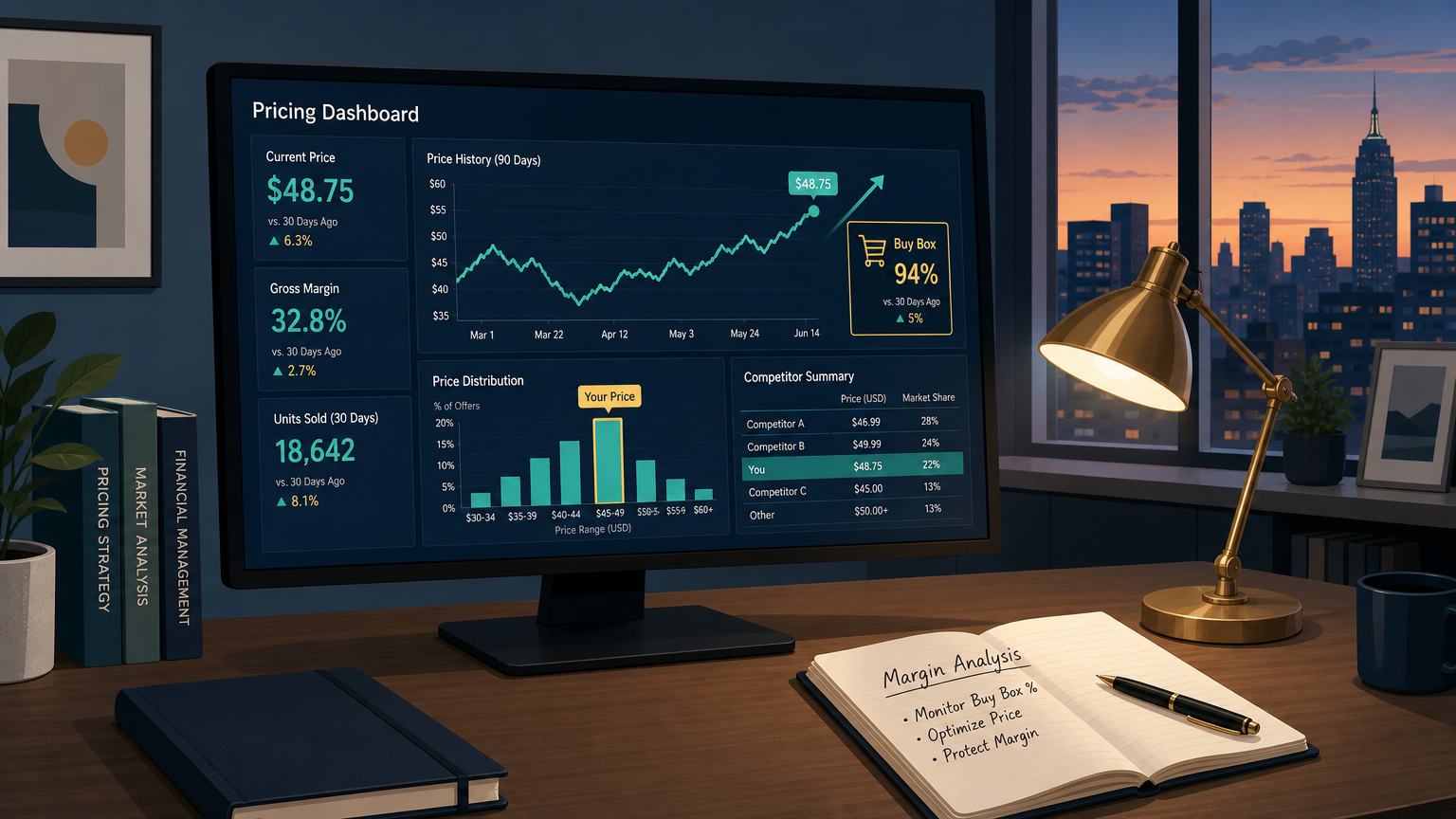
Buy Box context is equally important. The Amazon Buy Box, now formally called the Featured Offer, is the "Add to Cart" section that captures the majority of direct purchases (StreetPricer, August 2025). Knowing which seller holds the Featured Offer, at what price, and how often it rotates requires offer-level data that most free consumer tools don't expose. Platforms built for repricing, like Informed Repricer, work with this kind of Buy Box-aware data to help sellers decide when to adjust prices and when to hold.
Coupon history and Lightning Deal history add a promo context layer. Without it, a price history chart that shows a drop from $45 to $38 is ambiguous: was that a true list price change or a coupon that's since expired? Tools that label promotions separately let users distinguish structural price changes from temporary discount events.
Where trackers fail: rate limits, blocked requests, and data gaps
Reliability is where most Amazon price tracking tool comparisons go quiet, but it's where real-world performance diverges most.
Scraping-based tools face rate limiting from Amazon's infrastructure. If a crawler requests too many pages too quickly, Amazon returns throttled or blocked responses. The tool either skips that product for that interval or logs an error. Both outcomes create gaps in the time series. On a price history chart, those gaps get interpolated, so the visual appears smooth even when data is genuinely missing.
Other common failure modes:
- Geo/locale differences: a price check routed through a server in a different region may see a different offer set than a buyer in another location
- ASIN and offer-ID changes: when Amazon restructures a catalog listing, historical records may not carry forward correctly
- Partial page rendering: dynamically loaded content (including coupon badges and deal timers) may not be captured if the tool doesn't execute JavaScript
The practical implication: a fast polling cadence and a high block rate can produce worse coverage than a slower cadence with reliable retrieval. More frequent checks aren't always better.
If you're evaluating a tool's reliability, test it against one ASIN you know well. Validate that promo labels match what you actually see on the product page. Compare the chart at multiple time points against any records you have independently. For niche or low-traffic SKUs, expect longer intervals between updates regardless of what the tool advertises.
Selecting the right tool: shoppers vs sellers
The criteria diverge significantly once you get past "I want price drop alerts."
| Criteria | Shopper priority | Seller priority |
|---|---|---|
| Data coverage | Amazon price + basic 3P new/used | Full offer set including 3P new/used/FBA condition splits |
| Alert latency | Hours is usually acceptable | Minutes matters during repricing windows |
| Buy Box / Featured Offer data | Not required | High priority |
| BSR tracking | Nice to have | Useful demand signal |
| Coupon/Lightning Deal labeling | Useful for deal validation | Required for true price-change analysis |
| Mobile/push notifications | Often the primary channel | Secondary to API/integration output |
| Rule customization | Threshold alert is sufficient | Multi-variable rules needed |
| Privacy (browser extension) | Worth reviewing permissions | Separate evaluation required |
Shoppers should weight ease of use, clear deal labeling, and notification preferences. A tool that fires accurate alerts on a reasonable delay, with context showing whether the price is actually at a multi-month low, covers most shopper needs. CamelCamelCamel and Keepa both provide Amazon price history charts suitable for this.
Sellers need tools that understand the Featured Offer structure, surface third-party offer price tracking at the offer level, and can integrate with repricing workflows. That's a different product category entirely. A repricer like Informed Repricer is designed around this use case: its repricing logic accounts for Buy Box signals, margin floors, and competitive offer changes, rather than just monitoring a single price field.
The "best" Amazon price tracking tool is a context-dependent question. If your definition of "price" is the Buy Box winner's listed amount and your acceptable delay is a few hours, a free consumer tracker may be all you need. If your definition includes the full offer stack, promotional context, and featured offer rotation, and you need that data to drive repricing decisions in near real-time, the tool category you're looking for is closer to a seller-grade repricing platform than a price history browser extension.